

Get Started
Kafka Gateway is a single, stateless runtime that exposes Kafka topics over HTTP, MQTT, gRPC, SSE, and WebSocket. No custom code, no client-side Kafka library, no separate proxy layer.
This guide runs Kafka Gateway locally with Docker Compose and uses it to expose a Kafka topic as a REST API.
Prerequisites
Run Kafka Gateway Locally
Clone the Zilla repository, which contains the runtime and a set of ready-to-run examples.
git clone https://github.com/aklivity/zilla.gitNote
Alternatively, download the develop branch archive and unzip it.
cd zilla/examplesStart the http.kafka.crud example, which brings up Kafka Gateway alongside a Kafka broker and topics:
docker compose --project-directory http.kafka.crud up -dThis starts:
- A configured Kafka Gateway instance
- A local Kafka cluster and topics
- Kafka UI at
http://localhost:8080/ui/clusters/local/all-topicsfor browsing topics and messages
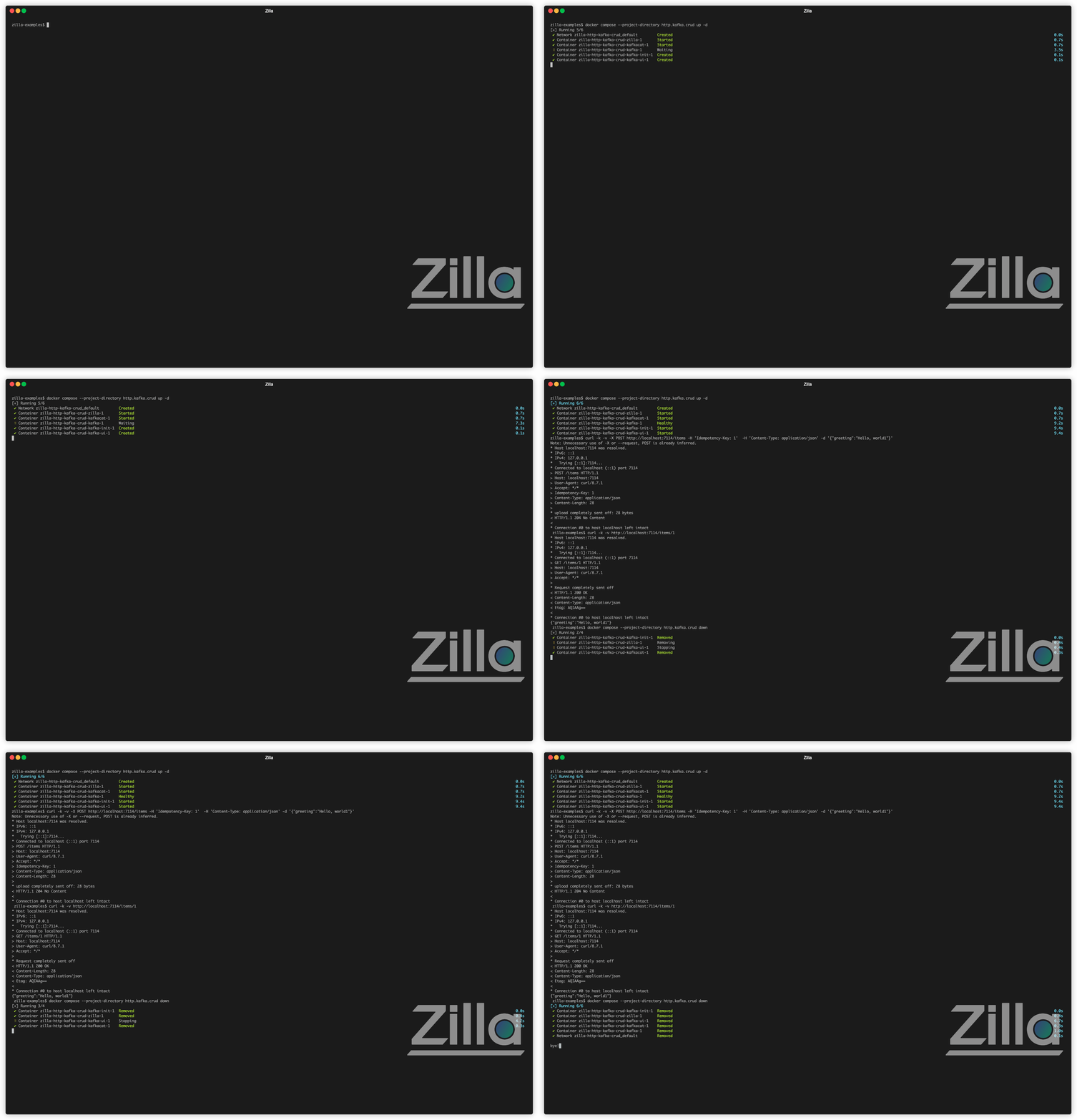
Expose a Kafka Topic as a REST API
The http-kafka binding maps HTTP routes directly onto Kafka produce and fetch operations, no application code in between.
- Open the
items-snapshotstopic in Kafka UI. Every message you create below will show up here. Switch the filter fromlivetonewestto see all messages on the topic. - Use the
POSTendpoint below to create an item. The new message appears in the Kafka topic immediately. - Inspect the Kafka message key produced for that item in the
items-snapshotstopic. - Try the
GET,PUT, andDELETEendpoints to see the full set of REST operations against the same topic.
Each endpoint is a route in zilla.yaml, mapping an HTTP method and path to a Kafka capability (produce or fetch):
Produce a new message keyed by an idempotency key.
  north_http_kafka_mapping:
    type: http-kafka
    kind: proxy
    routes:
      - when:
          - method: POST
            path: /items
        exit: north_kafka_cache_client
        with:
          capability: produce
          topic: items-snapshots
key: ${idempotencyKey}Fetch all messages on the topic, merged into a single JSON response.
  north_http_kafka_mapping:
    type: http-kafka
    kind: proxy
    routes:
      - when:
          - method: GET
            path: /items
        exit: north_kafka_cache_client
        with:
          capability: fetch
          topic: items-snapshots
          merge:
content-type: application/jsonFetch a single message by its key.
  north_http_kafka_mapping:
    type: http-kafka
    kind: proxy
    routes:
      - when:
          - method: GET
            path: /items/{id}
        exit: north_kafka_cache_client
        with:
          capability: fetch
          topic: items-snapshots
          filters:
- key: ${params.id}Produce a new message under the same key to update it.
  north_http_kafka_mapping:
    type: http-kafka
    kind: proxy
    routes:
      - when:
          - method: PUT
            path: /items/{id}
        exit: north_kafka_cache_client
        with:
          capability: produce
          topic: items-snapshots
key: ${params.id}Produce a tombstone (blank message) for a key to delete it.
  north_http_kafka_mapping:
    type: http-kafka
    kind: proxy
    routes:
      - when:
          - method: DELETE
            path: /items/{id}
        exit: north_kafka_cache_client
        with:
          capability: produce
          topic: items-snapshots
          key: ${params.id}
Full zilla.yaml config
name: example
bindings:
  north_tcp_server:
    type: tcp
    kind: server
    options:
      host: 0.0.0.0
      port:
        - 7114
    routes:
      - when:
          - port: 7114
        exit: north_http_server
  north_http_server:
    type: http
    kind: server
    routes:
      - when:
          - headers:
              :scheme: http
        exit: north_http_kafka_mapping
  north_http_kafka_mapping:
    type: http-kafka
    kind: proxy
    routes:
      #region rest_create
      - when:
          - method: POST
            path: /items
        exit: north_kafka_cache_client
        with:
          capability: produce
          topic: items-snapshots
          key: ${idempotencyKey}
      #endregion rest_create
      #region rest_update
      - when:
          - method: PUT
            path: /items/{id}
        exit: north_kafka_cache_client
        with:
          capability: produce
          topic: items-snapshots
          key: ${params.id}
      #endregion rest_update
      #region rest_delete
      - when:
          - method: DELETE
            path: /items/{id}
        exit: north_kafka_cache_client
        with:
          capability: produce
          topic: items-snapshots
          key: ${params.id}
      #endregion rest_delete
      #region rest_retrieve_all
      - when:
          - method: GET
            path: /items
        exit: north_kafka_cache_client
        with:
          capability: fetch
          topic: items-snapshots
          merge:
            content-type: application/json
      #endregion rest_retrieve_all
      #region rest_retrieve_id
      - when:
          - method: GET
            path: /items/{id}
        exit: north_kafka_cache_client
        with:
          capability: fetch
          topic: items-snapshots
          filters:
            - key: ${params.id}
      #endregion rest_retrieve_id
  north_kafka_cache_client:
    type: kafka
    kind: cache_client
    exit: south_kafka_cache_server
  south_kafka_cache_server:
    type: kafka
    kind: cache_server
    options:
      bootstrap:
        - items-snapshots
    exit: south_kafka_client
  south_kafka_client:
    type: kafka
    kind: client
    options:
      servers:
        - ${{env.KAFKA_BOOTSTRAP_SERVER}}
    exit: south_tcp_client
  south_tcp_client:
    type: tcp
    kind: client
telemetry:
  exporters:
    stdout_logs_exporter:
      type: stdout
When you're done, stop the stack:
docker compose --project-directory http.kafka.crud downNext Steps
- Walk through the HTTP to Kafka use case for a deeper look at REST-to-Kafka mapping.
- See MQTT to Kafka and gRPC to Kafka for other protocol mappings.
- Explore more runnable examples in the Zilla examples directory, including
grpc.kafka.proxyandmqtt.kafka.proxy.