

Certificate Authorities
Certificate Authorities (CAs) are the trust roots used to sign mTLS client certificates. When mTLS is the security option on a plan, the Gateway validates the certificate a client presents against the CAs registered here: only a certificate signed by a registered CA is accepted.
CAs are managed per environment, from an environment's Security tab.
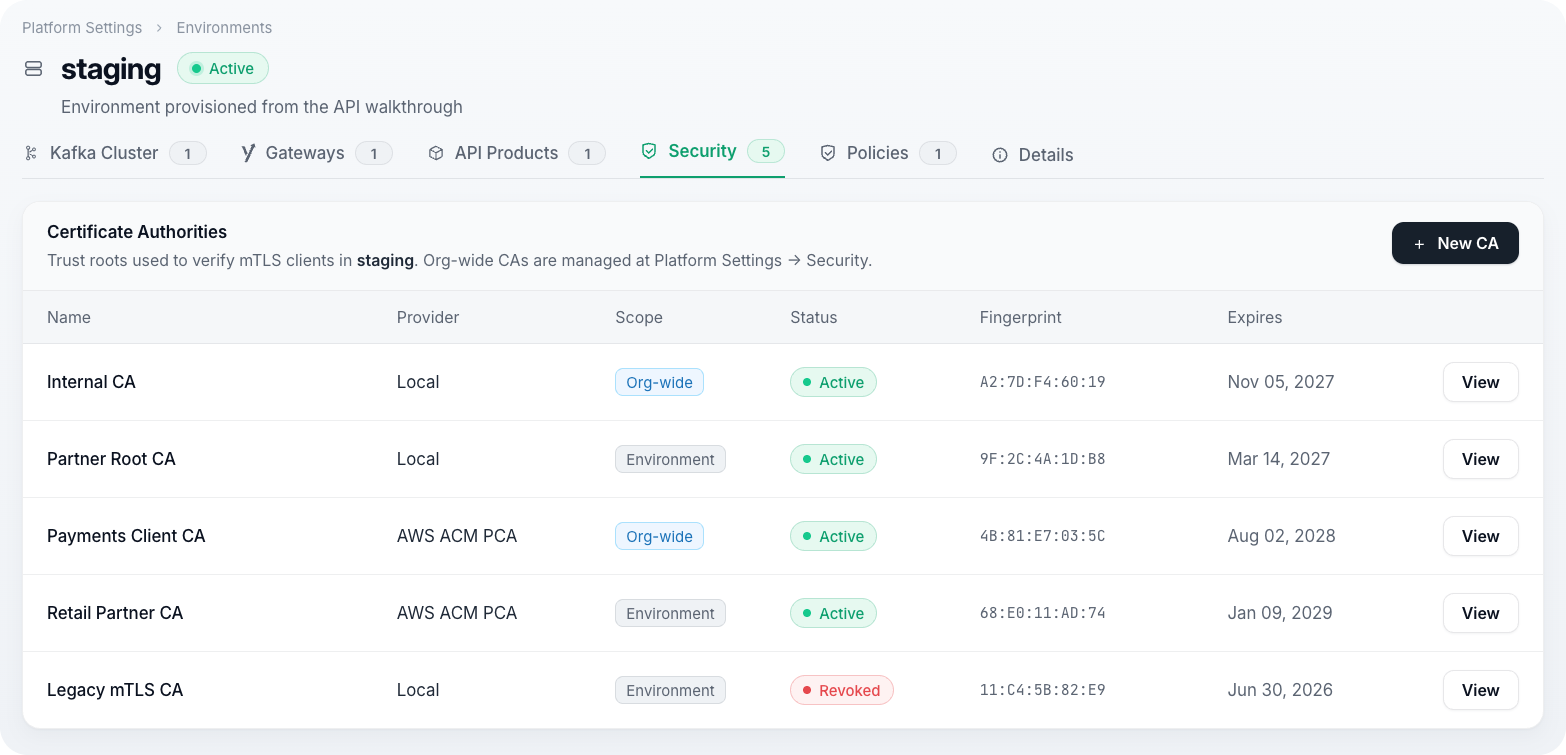
Add a Certificate Authority
Navigate to
Platform Settings → Environments → [environment] → Security.Under Certificate Authorities, select New Certificate Authority.
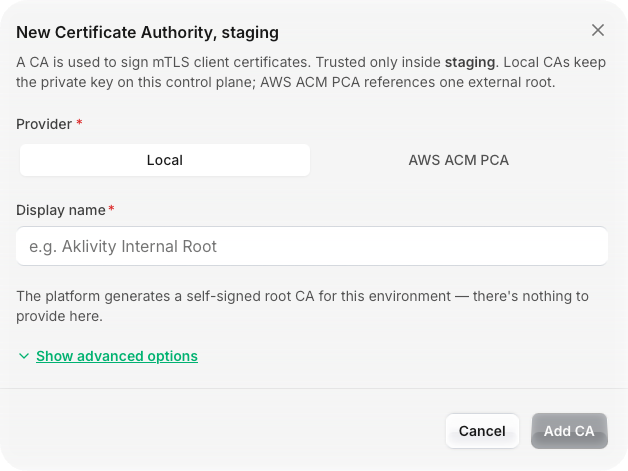
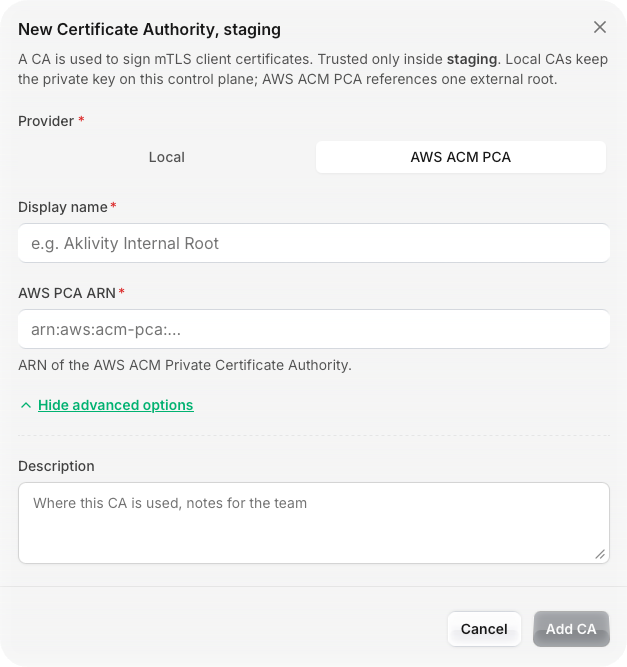
Enter a Display name, and optionally a Description.
Select a Provider:
- Local: the platform generates a self-signed root CA.
- AWS ACM PCA: enter the AWS PCA ARN of an existing AWS Private Certificate Authority.
- Local: the platform generates a self-signed root CA.
Select Create.
On create, the platform derives and displays the CA's SHA-256 fingerprint and expiry alongside its status. A CA registered from an environment's Security tab is trusted only inside that environment.
Delete a Certificate Authority
- Navigate to
Platform Settings → Environments → [environment] → Security. - Select the certificate authority to remove.
- Select Delete → Delete.
Warning
Deleting a Certificate Authority breaks mTLS authentication for any plan that relies on it. Confirm no active plan references this CA before deleting.
Next Steps
- Plans covers selecting mTLS as a plan's security option.
- Environments covers the other per-environment settings the Security tab sits alongside.