

Publishing
An API Product's Publishing tab lets you view, manage, and unpublish every place it's currently live, across every environment and Gateway Group. Deployment status is tracked per environment, so a product can be live in some environments and not others.
Publish
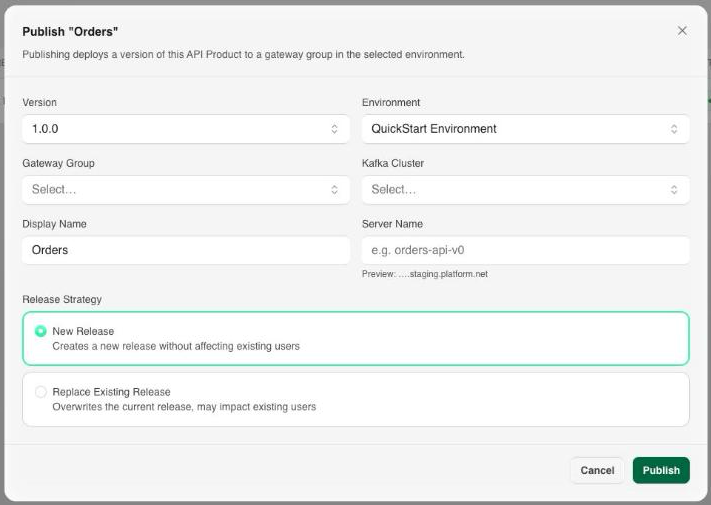
Open an API Product and select its Publishing tab, then select Publish.
You'll be prompted for:
- Version: the version of the API Product to publish.
- Environment: the target environment.
- Gateway Group: the Gateway Group that will serve the product.
- Kafka Cluster: the cluster backing it, scoped to the selected Gateway Group.
- Display Name: a human-readable label for this publication.
- Server Name: the short server label for this publication, for example
orders-api-v0. The hostname consumers connect to is derived from it and the target environment, as<server-name>.<environment>.platform.net. - Release Strategy: New Release creates a new release without affecting existing subscribers; Replace Existing Release overwrites the current release and may impact them.
Select Publish to start.
Manage Publications
The Publishing tab lists every active publication for the current product, with its version, environment, Gateway Group, release, and status.

From here you can:
- Review which versions are live in which environments.
- Check status, for example
Active. A product with no publications showsNot published to any environment. - Select Unpublish to stop serving a release without deleting the API Product itself.