

Configuration
Every Gateway Group runs from a resolved zilla.yaml configuration: the bindings, routes, and stores that determine how it handles traffic. Zilla Console lets you view this configuration directly from the Gateway Group's card, without shelling into a running instance.
Viewing Configuration
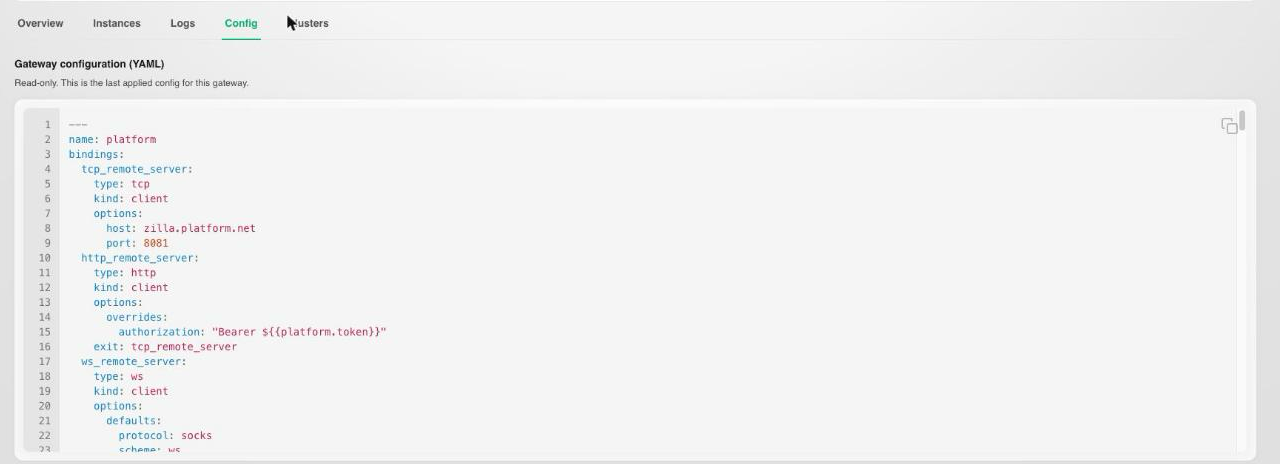
Open a Gateway Group and select its Config tab to see the current, resolved zilla.yaml exactly as the running instances are using it. This is read-only: use it to confirm what's actually deployed, for example after publishing an API Product or a version upgrade, or while troubleshooting a routing issue.
Next Steps
- Connections covers the clusters and API Products this configuration connects to.
- Install covers attaching a new Gateway Group in the first place.