

Schemas
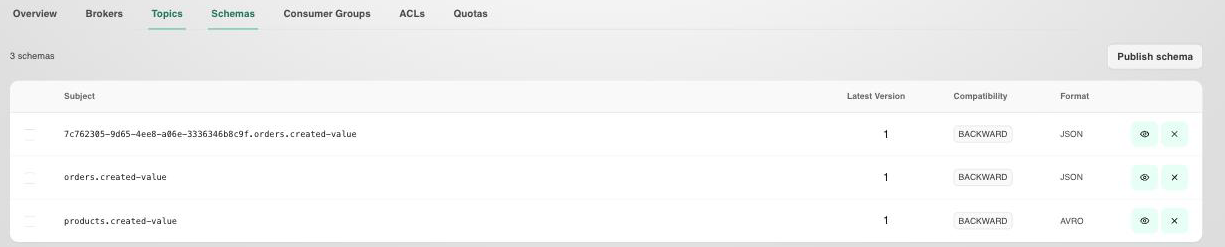
The Schemas tab displays all message schemas registered with your cluster's Schema Registry.
Overview
Lists all registered schemas with:
- Subject: the subject name used to register the schema (typically
<topic>-keyor<topic>-value). - Latest version: the most recent schema version number.
- Compatibility: the evolution rule applied to this subject,
Backward,Forward, orFull. - Format: the schema format,
JSON,AVRO, orPROTOBUF.
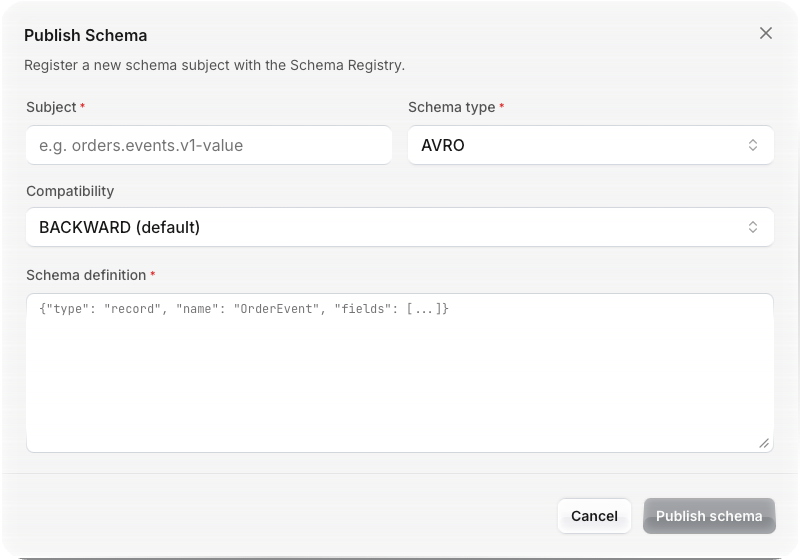
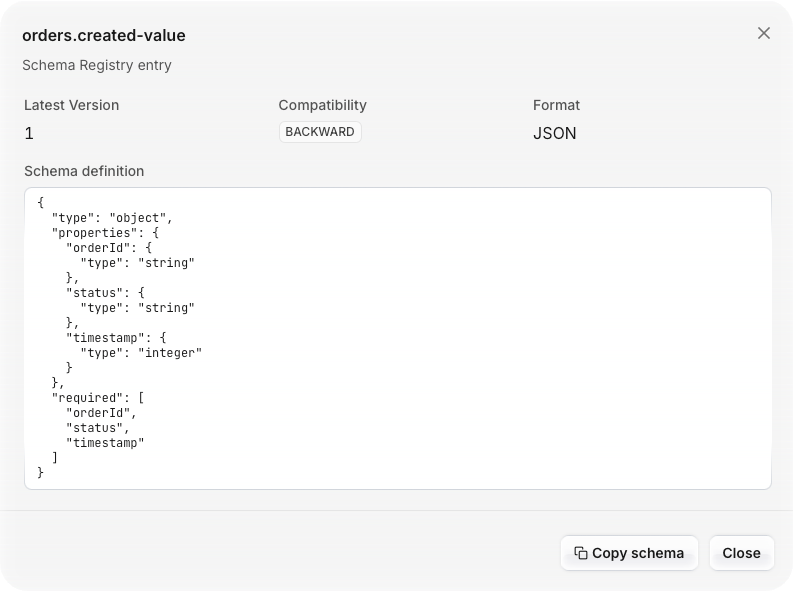
Select the eye icon to view a schema's full definition, or Publish schema to register a new one.
Use this view to track which topics have governed message formats and verify schema coverage before creating API Products.
Compatibility Modes
| Mode | Description |
|---|---|
| Backward | New schema can read data written by the old schema. Consumers can upgrade first. |
| Forward | Old schema can read data written by the new schema. Producers can upgrade first. |
| Full | Both backward and forward compatible. Safest for shared APIs. |
| None | No compatibility enforced. |
Tips
For API Products published through Zilla Console, Full compatibility is recommended to avoid breaking changes for consumers.