

Policies
Policies are reusable, Gateway-enforced governance rules: reject or record traffic that doesn't match a naming convention, a partition limit, or another rule you define, independent of any one principal's ACLs or quotas. A policy is defined once, then attached to the Virtual Clusters or Gateway Groups it should govern.
Policies are scoped per environment: manage them from an environment's Policies tab, or see which environments have policies configured from the Policies card in Platform Settings.
Create a Policy
- Navigate to
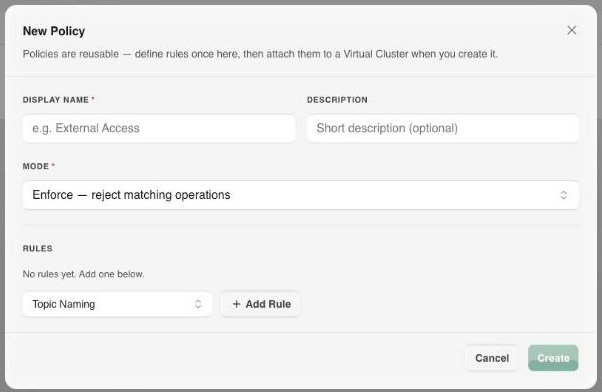
Platform Settings → Environments → [environment] → Policies. - Select New Policy.
- Enter a Display Name and an optional Description.
- Choose a Mode:
- Enforce: reject matching operations at the Gateway.
- Audit: record violations without blocking traffic.
- Under Rules, select a rule type, select Add Rule, then fill in its fields. A policy can carry several rules.
- Select Create.
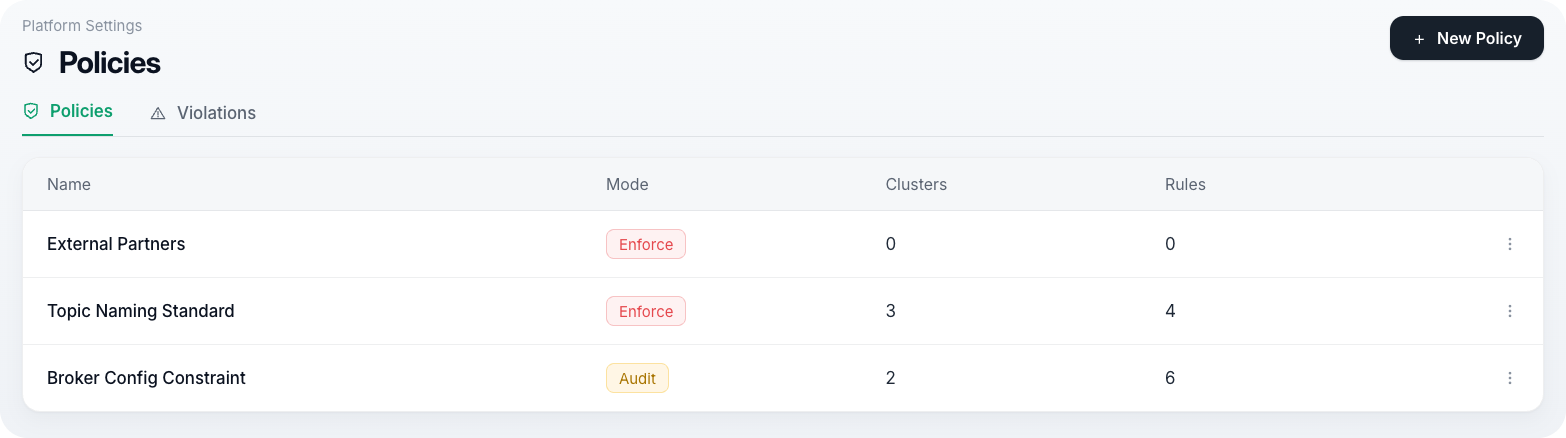
Once created, a policy appears in the environment's Policies list with its mode, the rules it carries, and the clusters and Gateway Groups it's attached to.
Policies are reusable: you define the rules here, then attach one or more of them to a Virtual Cluster at the point you create it, from the Create Virtual Cluster dialog's policy step.
Rule Types
Topic-scoped rules match a pattern against the topic name (* for every topic); a naming rule is checked against every topic being created, regardless of pattern, so a non-compliant name cannot slip through by matching nothing. Cluster-scoped rules apply to every request on the cluster.
| Rule | Scope | Constrains |
|---|---|---|
| Topic Naming | Topic | Topic names must match a regular expression. |
| Partition Limits | Topic | Minimum and/or maximum partition count. |
| Replica Limits | Topic | Minimum and/or maximum replication factor. |
| Topic Config Constraint | Topic | Allowed values, ranges, or value sets for named topic configs, for example retention.ms. |
| Delete Protection | Topic | Blocks topic deletion. |
| Client ID Required | Cluster | Clients must present a client.id. |
| API Version Range | Cluster | Minimum and/or maximum Kafka API version a client may request. |
| Broker Config Constraint | Cluster | Allowed values, ranges, or value sets for named broker configs. |
| Producer Constraint | Cluster | Restricts producer behavior to the declared constraint. |
| Compression Allowlist | Cluster | Only the listed compression codecs may be used. |
Warning
Two rule types do not currently reach the Gateway, so they neither block nor record anything in either mode: Topic Config Constraint and API Version Range. Every other rule in the table above is enforced. Don't rely on those two as a control until they're wired.
Tips
Attach a new policy in Audit mode first and check the Governance view for what it would have blocked, then switch it to Enforce once the violation list is clean.
Violations
A policy breach recorded by a Gateway shows up in two places:
- The Policy Violations card on the Governance section of the dashboard.
- A Policy & quota notification in your Inbox.
Violations are reported for both modes: in Audit mode the operation still succeeds, in Enforce mode the client receives a policy-violation error instead.
Next Steps
- Governance covers reviewing the violations these rules produce.
- Environments covers the other environment-scoped settings a policy sits alongside, including bootstrap tokens and certificate authorities.
- Kafka Clusters covers the clusters a policy can be attached to.